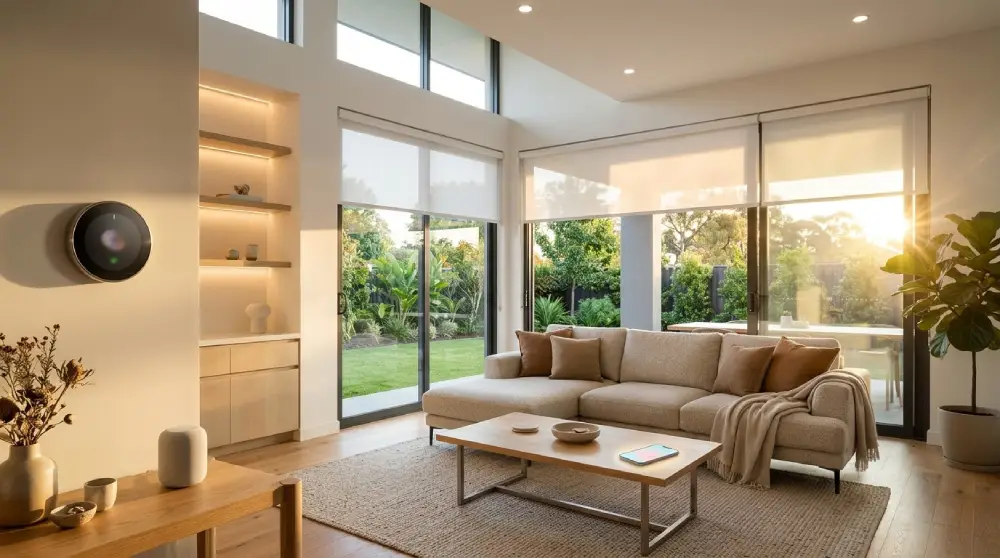
Buyers today expect more than a fresh coat of paint. They want a home that feels modern, secure, and easy to live in. That is why smart home upgrades that increase home value have become a major talking point for homeowners and real estate agents alike.
The right technology can make your property stand out in a crowded market. It also makes daily life more comfortable while you still live there.
In this guide, you will learn which smart upgrades appeal most to buyers and how to present them well.
Why Smart Technology Matters to Modern Buyers
Most buyers now browse listings on their phones. They are comfortable with apps, voice assistants, and connected devices.
When a home already offers these conveniences, it feels current and move in ready. Buyers do not have to imagine the upgrades themselves.
Smart features also signal that a home has been well cared for. That impression builds trust, and trust often leads to stronger offers.
Three qualities attract buyers most:
- Convenience that saves time every day
- Security that brings peace of mind
- Efficiency that supports comfortable, sustainable living
Smart Upgrades Buyers Notice Most
Not every gadget adds value. The best upgrades are practical, reliable, and simple to use. Here are the options that tend to impress buyers the most.
Smart Thermostats
A smart thermostat learns your schedule and adjusts the temperature automatically. Buyers love being able to control heating and cooling from their phones.
It is also one of the easiest upgrades to explain during a showing. Most people understand its benefits right away.
Look for models that work with major voice assistants. Compatibility makes the system feel more complete.
Smart Lighting
Smart lighting lets homeowners adjust brightness and color from an app or a voice command. Buyers can set the mood for dinner, movie nights, or quiet mornings.
Scheduled lighting also makes a home look lived in when the owners are away. That adds a layer of security.
Well placed smart lighting in living rooms, kitchens, and outdoor areas creates a warm, welcoming impression during evening showings.
Smart Security Systems and Video Doorbells
Safety is a top priority for almost every buyer. A video doorbell lets residents see who is at the door from anywhere.
Smart cameras and sensors add another layer of protection. Buyers feel reassured when a home already has a trusted system in place.
Make sure the system is easy to transfer to a new owner. Clear account handover steps remove friction at closing.
Smart Locks and Keyless Entry
Smart locks remove the need for physical keys. Homeowners can create temporary codes for guests, cleaners, or service providers.
Buyers see this as both a convenience and a security feature. It also helps agents manage showings more smoothly.
Choose a lock with a clean design that suits your front door. Style matters just as much as function.
Smart Appliances
Connected appliances can turn an ordinary kitchen into a showpiece. Smart ovens, refrigerators, and dishwashers let owners monitor and control tasks remotely.
Buyers often picture themselves cooking in a modern, connected kitchen. That emotional pull can help your listing stand out.
Focus on appliances with a clean look and a simple interface. Overly complicated features can confuse rather than impress.
Smart Water and Leak Detection
Water damage is one of the biggest fears for any homeowner. Leak sensors and smart shutoff valves can detect problems early and send instant alerts.
This upgrade rarely gets attention in photos, but it speaks volumes about protection. Inspectors and cautious buyers tend to appreciate it.
Mention it in your listing description so it does not go unnoticed.
Strong Wifi Coverage
Every smart device depends on a reliable connection. A mesh Wifi system provides steady coverage in every room, including the garage and backyard.
Remote workers and online learners especially value a dependable network. Strong connectivity has quietly become a basic expectation.
Without it, even the best smart devices can feel frustrating.
Smart Window Treatments
Motorized blinds and shades add comfort and a touch of luxury. They can open at sunrise, close during peak heat, and protect furniture from sun damage.
They also improve privacy and help regulate indoor temperature. Buyers see them as a thoughtful finishing touch.
Smart Outdoor Features
Outdoor spaces are now extensions of the living area. Smart irrigation systems water the lawn at the right time based on weather conditions.
Smart outdoor lighting and connected speakers make patios and decks more inviting. These touches help buyers imagine relaxing evenings and weekend gatherings.
How to Choose the Right Upgrades
The best upgrade strategy starts with your local market. Talk to a trusted real estate agent about what buyers in your area expect.
Then think about your own daily habits. A feature you enjoy using will always be easier to explain and show off.
Keep these principles in mind:
- Choose reliable, well reviewed products from established brands
- Prioritize ease of use over complicated features
- Select devices that work together on one platform
- Keep the design clean and unobtrusive
A connected home should feel simple. If a system needs constant troubleshooting, it can hurt more than it helps.
Tips for Showcasing Your Smart Home to Buyers

Installing the upgrades is only half the job. You also need to present them well.
Create a Simple Guide
Prepare a short document that lists each device, how it works, and how to transfer control. Buyers appreciate clear instructions.
A tidy guide shows that you are organized and transparent. It also reduces questions during the closing process.
Highlight Features in Your Listing
Mention your smart upgrades in the listing title, description, and photo captions. Use plain language that anyone can understand.
Instead of listing brand names, describe the benefit. For example, say that residents can control lighting, locks, and temperature from one app.
Demonstrate During Showings
Let buyers experience the technology firsthand. Show them how the lights respond to a voice command or how the thermostat adjusts from a phone.
A quick, confident demonstration leaves a lasting impression. It turns abstract features into real, memorable moments.
Keep Everything Updated
Before listing your home, update all firmware and apps. Test every device to confirm it works smoothly.
Remove personal accounts and reset devices when the sale is complete. This protects your privacy and gives the new owner a clean start.
Conclusion
Smart home upgrades that increase home value do more than add a modern touch. They deliver comfort, security, and efficiency that buyers actively look for.
Start with the essentials, such as a smart thermostat, lighting, security, and strong Wifi. Then add features that fit your home and your local market.
Present your upgrades clearly, keep the technology simple, and let buyers experience the benefits. A well chosen smart home can make your property feel ready for the future and ready for its next owner.
FAQs
Which smart home upgrades add the most value to a house?
Smart thermostats, security systems, video doorbells, smart locks, and smart lighting are among the most appealing to buyers. They are practical, easy to understand, and useful from the first day.
Do smart home features really attract more buyers?
Yes, many buyers prefer homes that already include modern technology. Smart features make a listing feel current and can help it stand out from similar properties.
Should I install smart devices before selling my home?
It can be a smart move if the devices are reliable and easy to use. Focus on features that match what buyers in your area expect, and keep the setup simple.
Are smart home systems difficult for new owners to use?
Not when they are set up well. Choose devices that work on one platform and provide a short guide so new owners can take over control without trouble.
What should I do with my smart devices when I sell the house?
Update the firmware, test each device, and share a clear instruction guide. Before handing over the keys, remove your personal accounts and reset the devices so the new owner can start fresh.